
On this page

Book an intro call

Tell us about your circumstances. We’ll listen, and show you how we might help.
No pressure, no jargon.

Storing emergency contacts in your phone

Your phone is the first port of call for any emergency responder. Setting it up now can help later if someone is lost or unresponsive.
Written by

Mark Nolan

Lead Care Advisor

Mark spent five years as CTO of PacSana, an award-winning Irish care technology company, where he built deep expertise in the full landscape of technology for older adults. His 85-year-old mother lives independently at home, supported by carefully chosen technology. The sensors, alerts and communication platforms that give the wider family peace of mind are exactly the kinds of things Mark helps other families discover, evaluate and put in place.

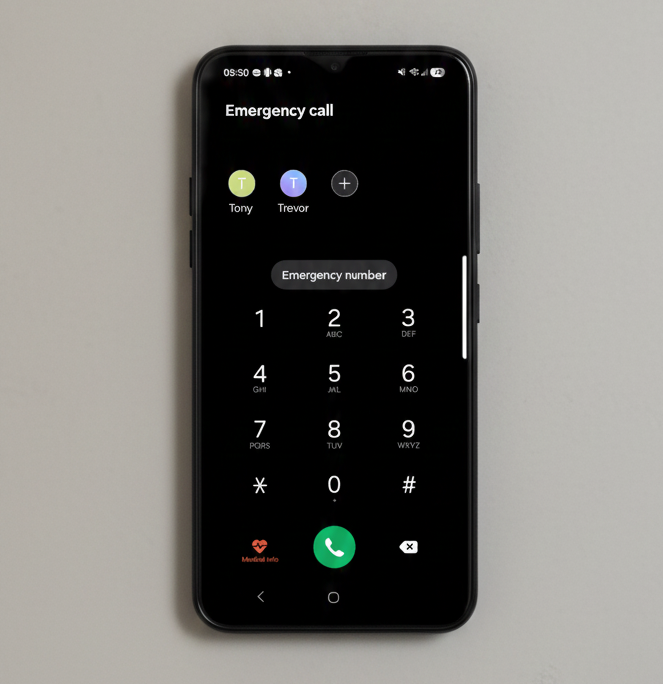
Mobile phone emergency settings screen.
A good day starts with the small things being looked after.

Your phone’s Medical ID feature

A mobile phone is a lifeline for aging in place, but only if it is programmed for a crisis. Most smartphones allow you to create a Medical ID accessible from the lock screen, ensuring first responders can see vital data without a passcode. Emergency contacts too can be called directly from the lock screen.

Detail all medical conditions

Every profile should include name, date of birth, and blood type. Beyond these basics, list chronic conditions like heart disease, dementia or diabetes, together with medication and allergies information.

List emergency contacts

Emergency contacts might include one local person who can arrive quickly, one primary family member and their doctor. Lastly, note any use hearing aids or mobility devices so responders can communicate effectively and move them safely.

These small digital details provide peace of mind for you and your loved one.

Navigate care with confidence. Join our newsletter.

By subscribing you agree to our privacy policy.

Subscription Form
Scroll to Top